What is AWS?
AWS is Amazon’s Cloud Service.
It let’s you
-
Rent servers
-
Upload objects (mp4 files, jpegs, mp3s …)
-
Autoscale servers
-
Create k8s clusters
The offering we will be focusing on today is Renting servers.
Prerequisites: Before we dive in, ensure you have the following:
-
SSH key pair for accessing your EC2 instance.
What is an EC2 instance?
Virtual Machines on AWS are called EC2 (Elastic Compute Cloud).
-
Elastic: As the name suggests, we can increase/decrease the size of the machine.
-
Compute: It is a machine.
You can fire up a new EC2 instance from the AWS dashboard.
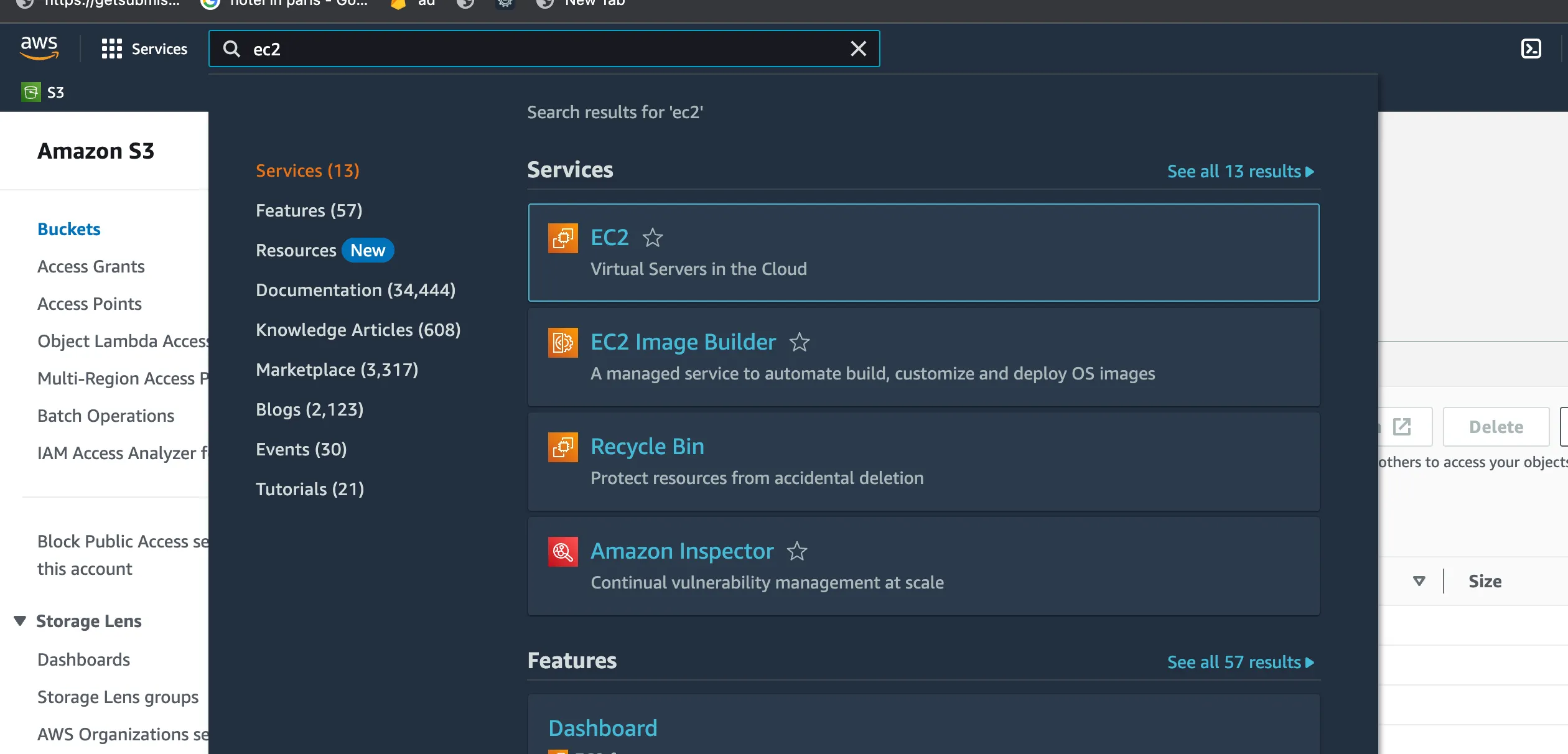
Creating a new EC2 instance
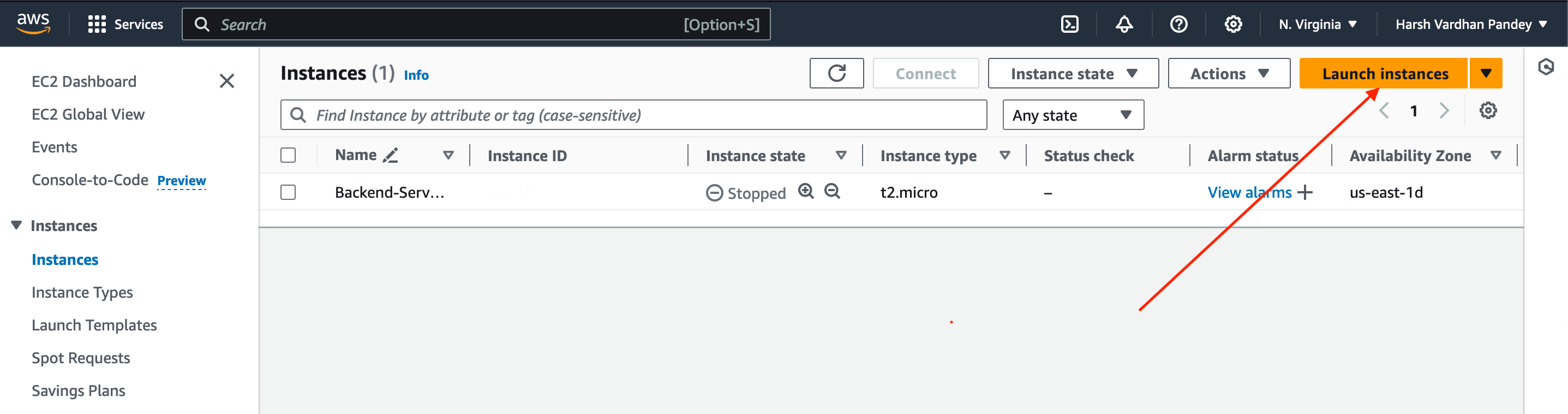
- Click on
Launch Instances.
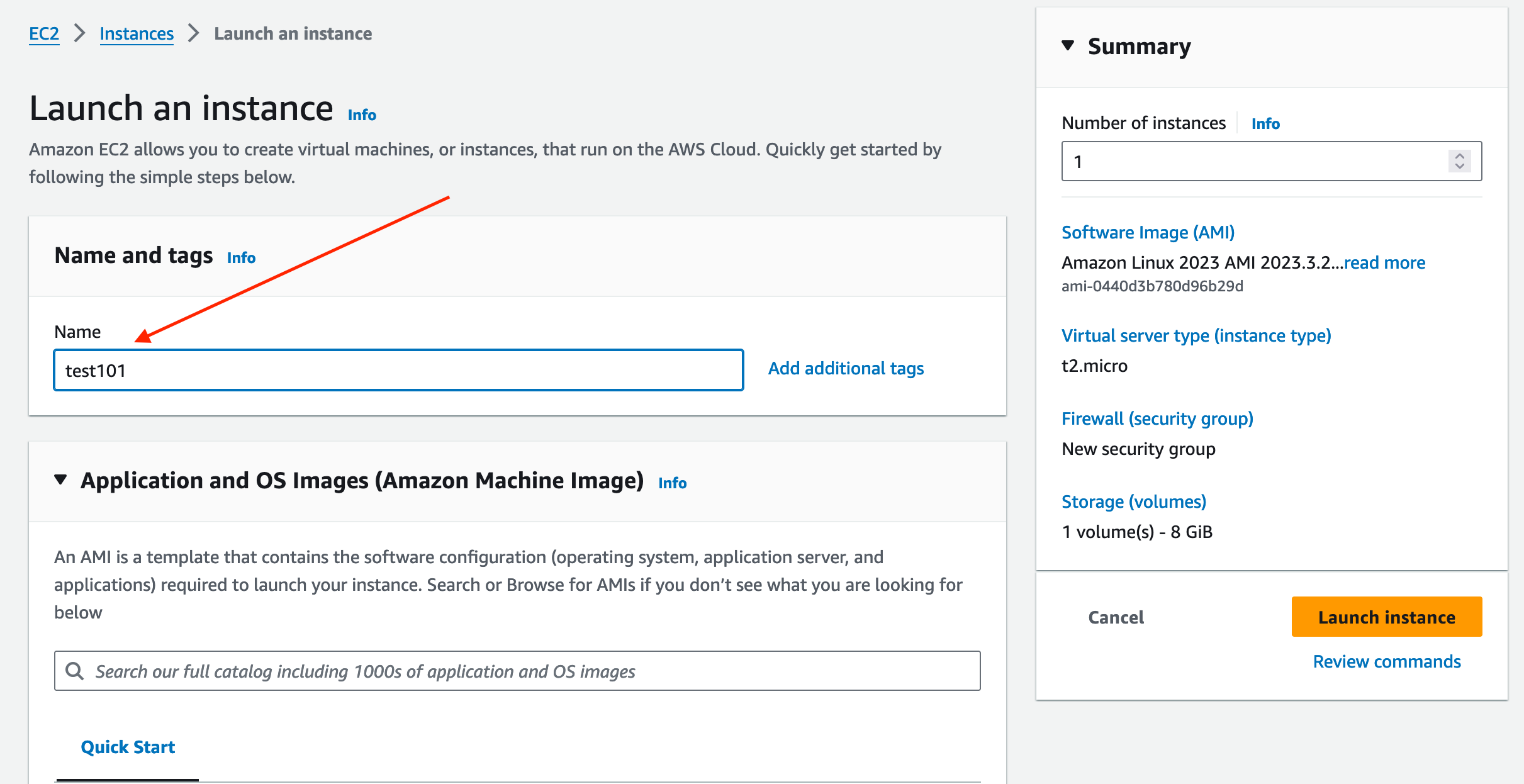
- Give a name to your instance.
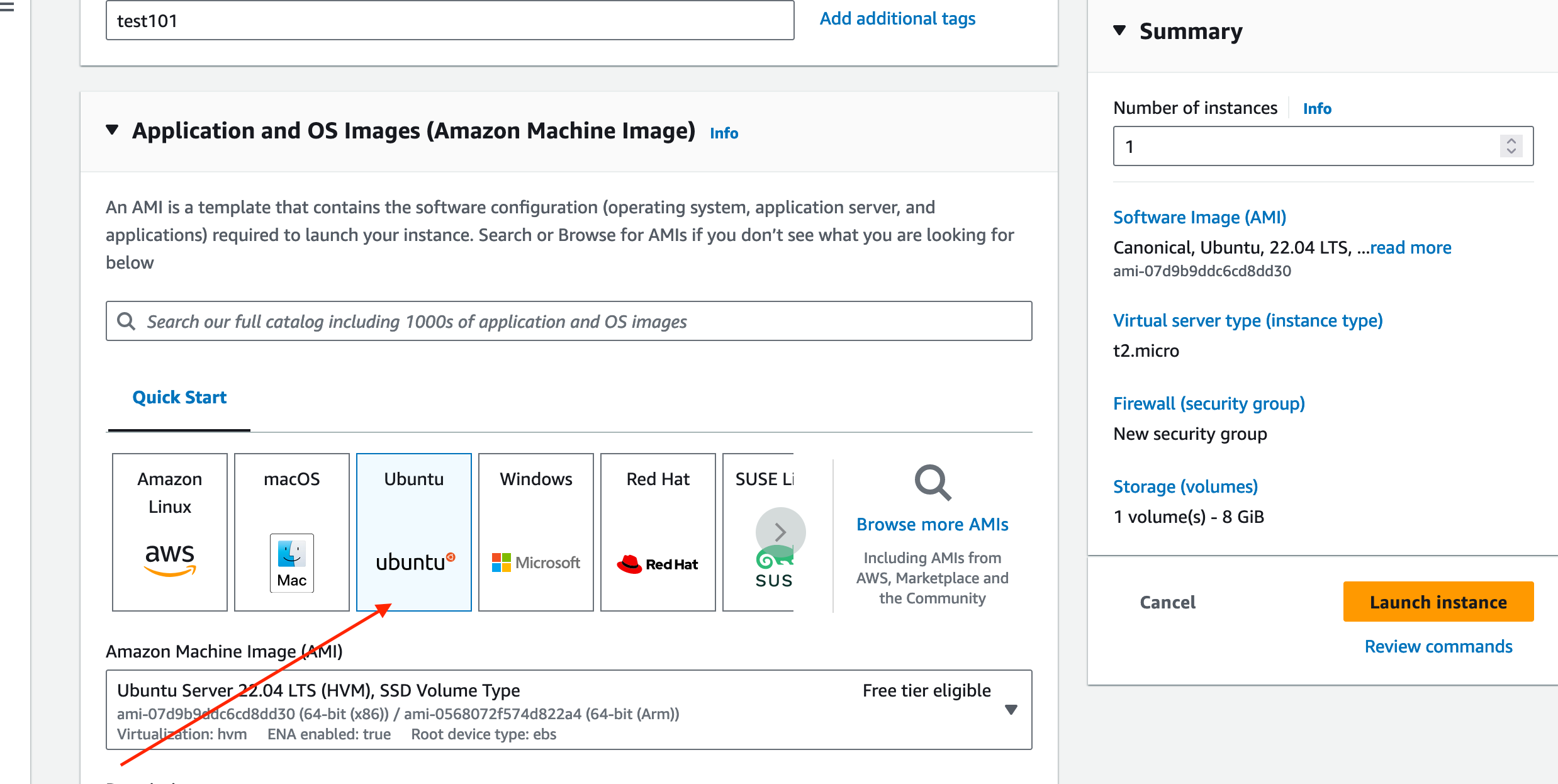
- Select an Operating System (OS).
- Select Size
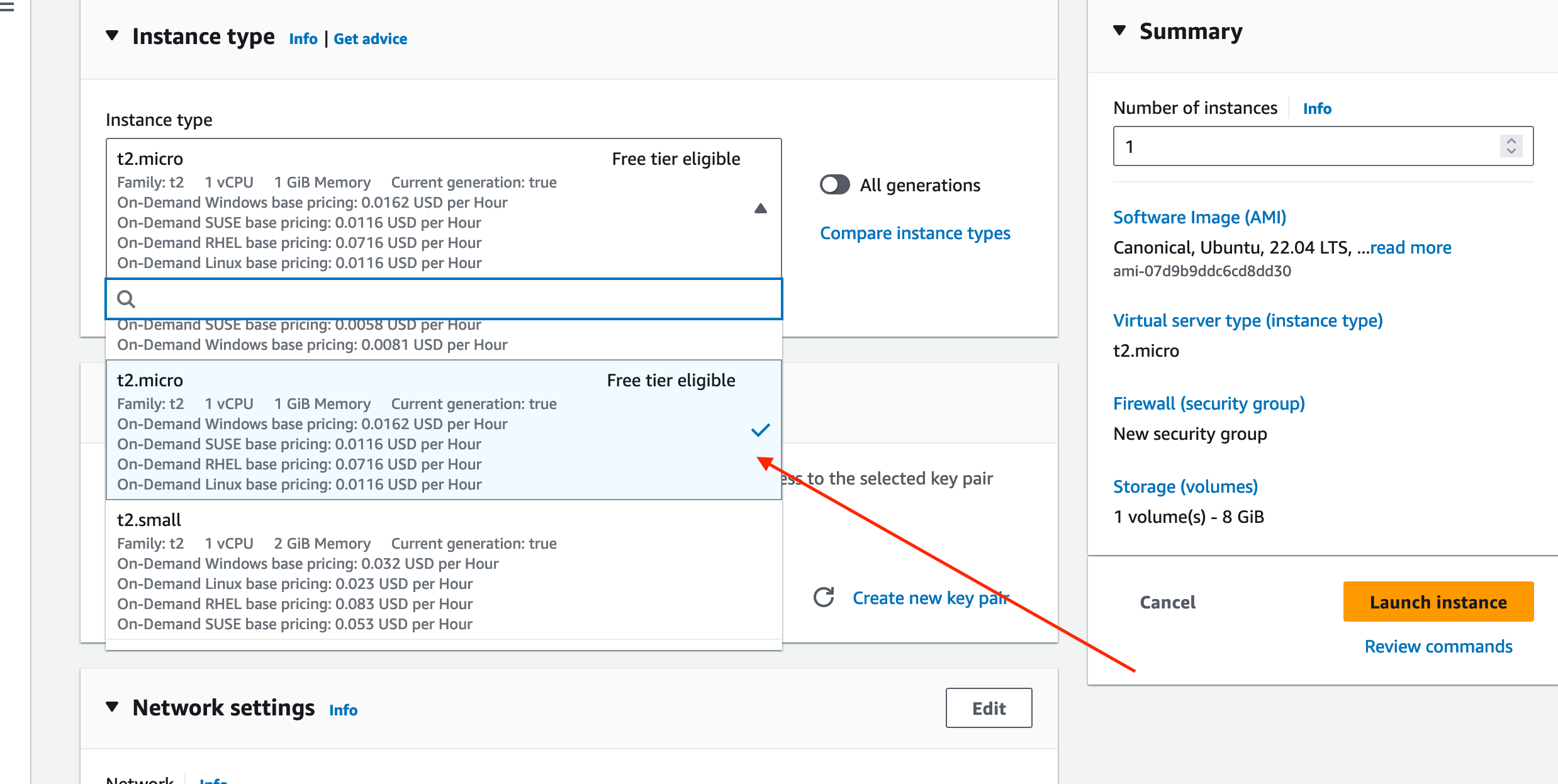
- Create a new key pair.
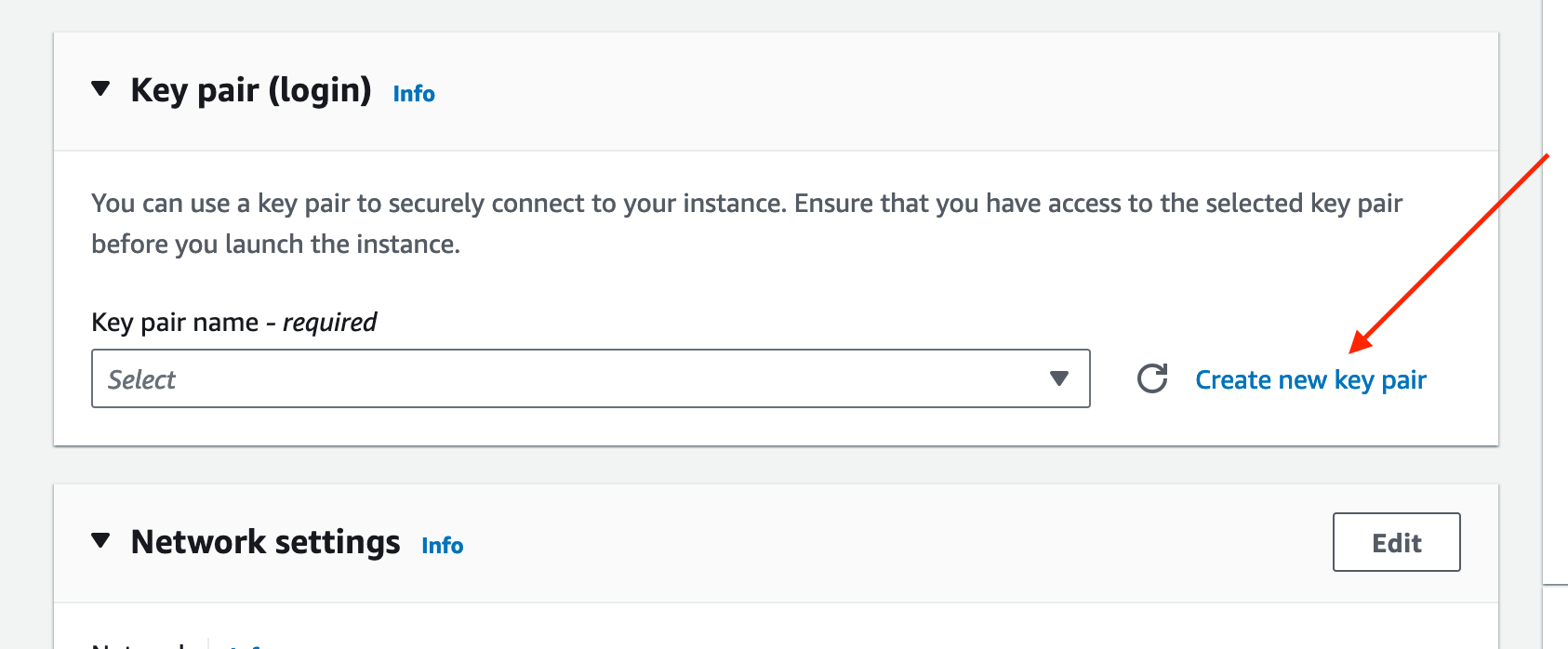
Now create a new key pair by providing a name, then click on create key pair.
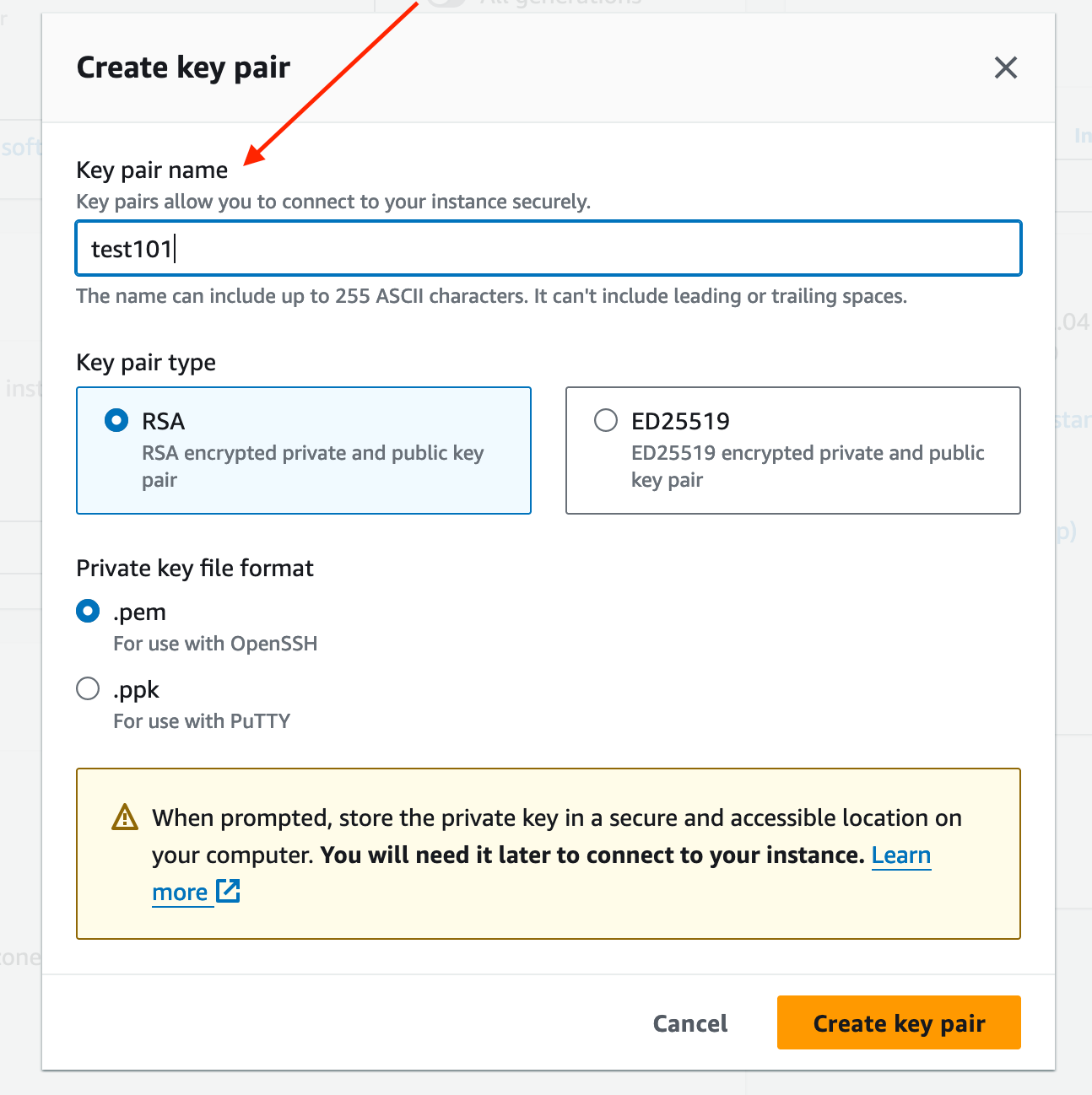
Now it’ll download a test101.pem file.

- Select Storage Size
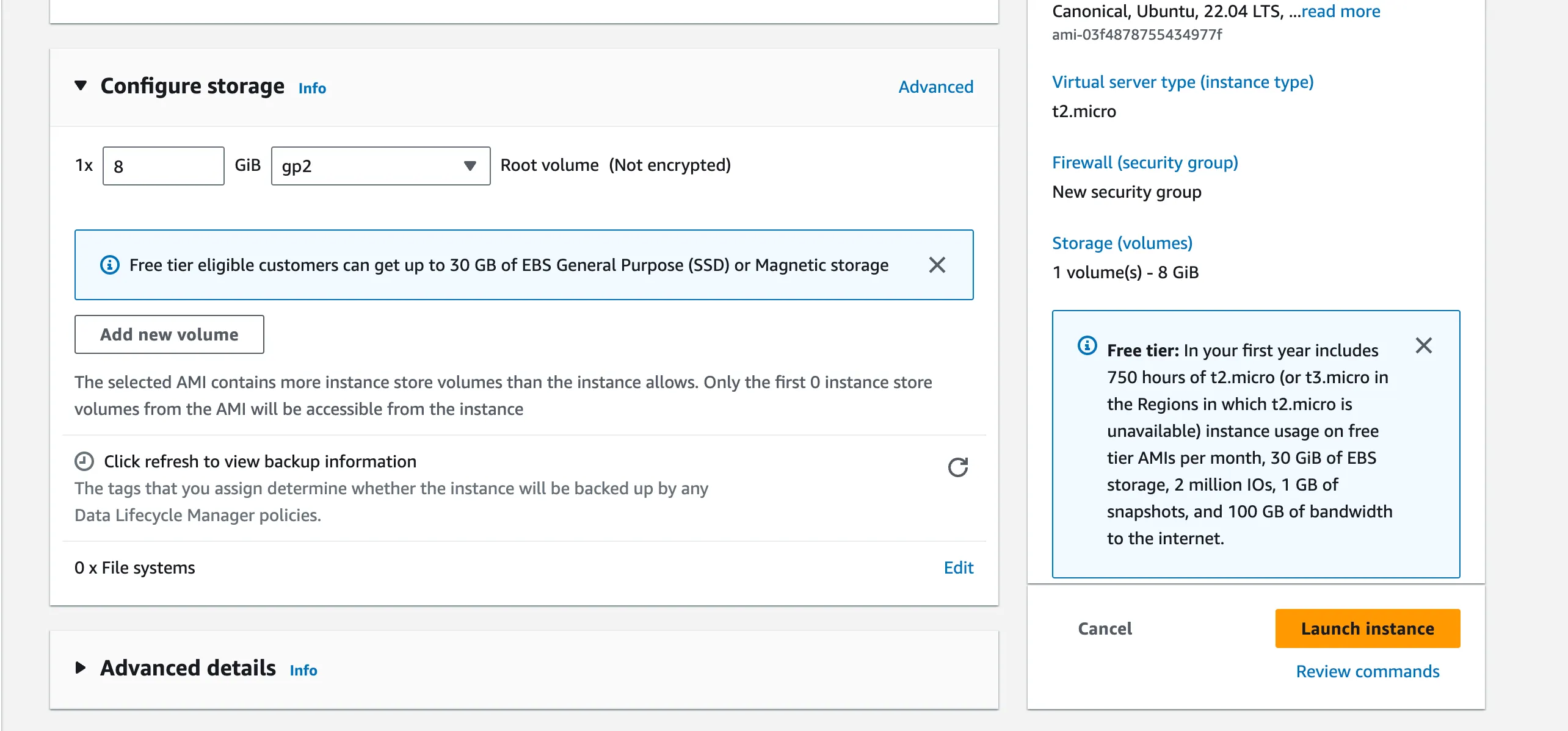
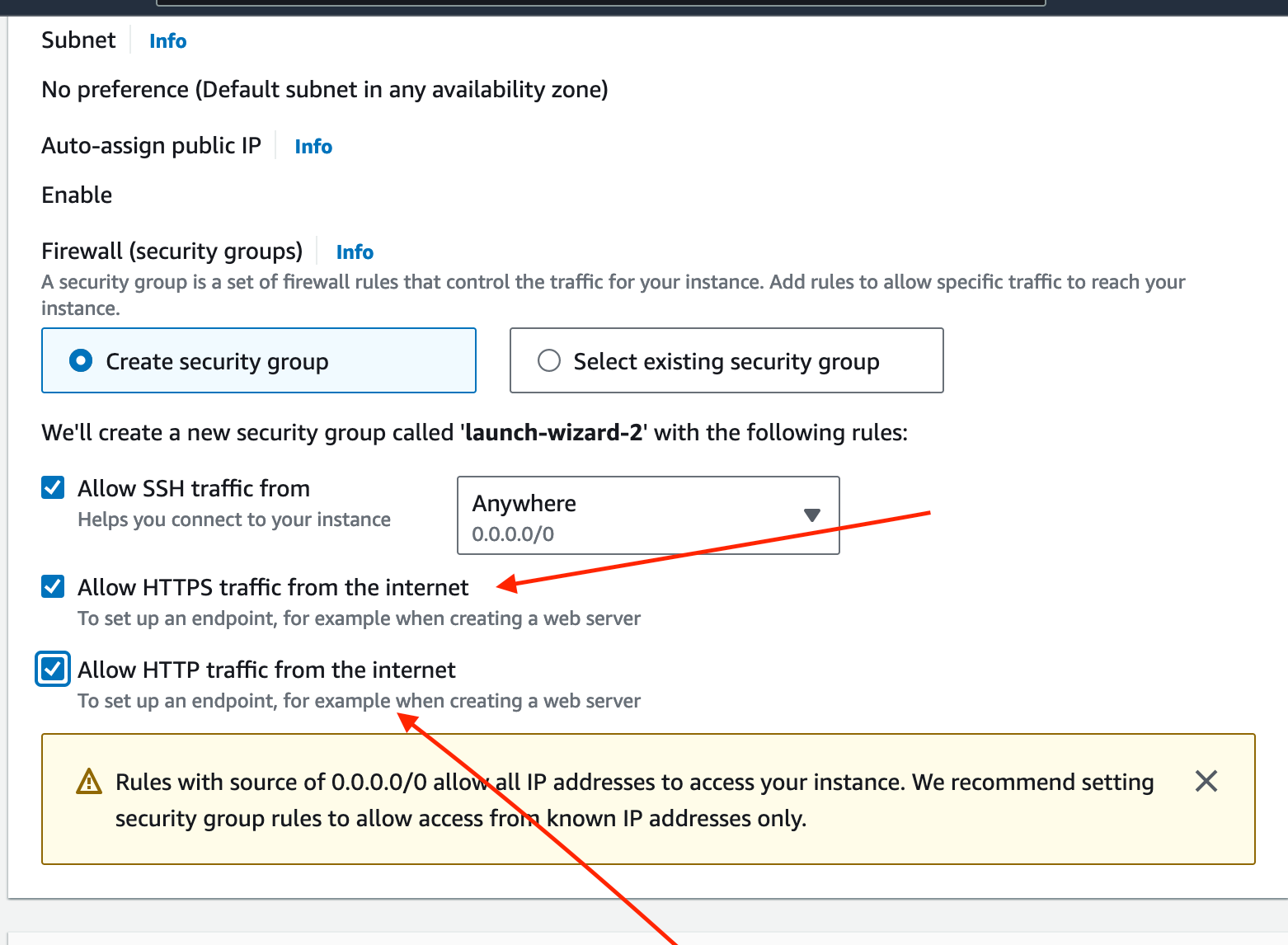
- Allow traffic on http/https.
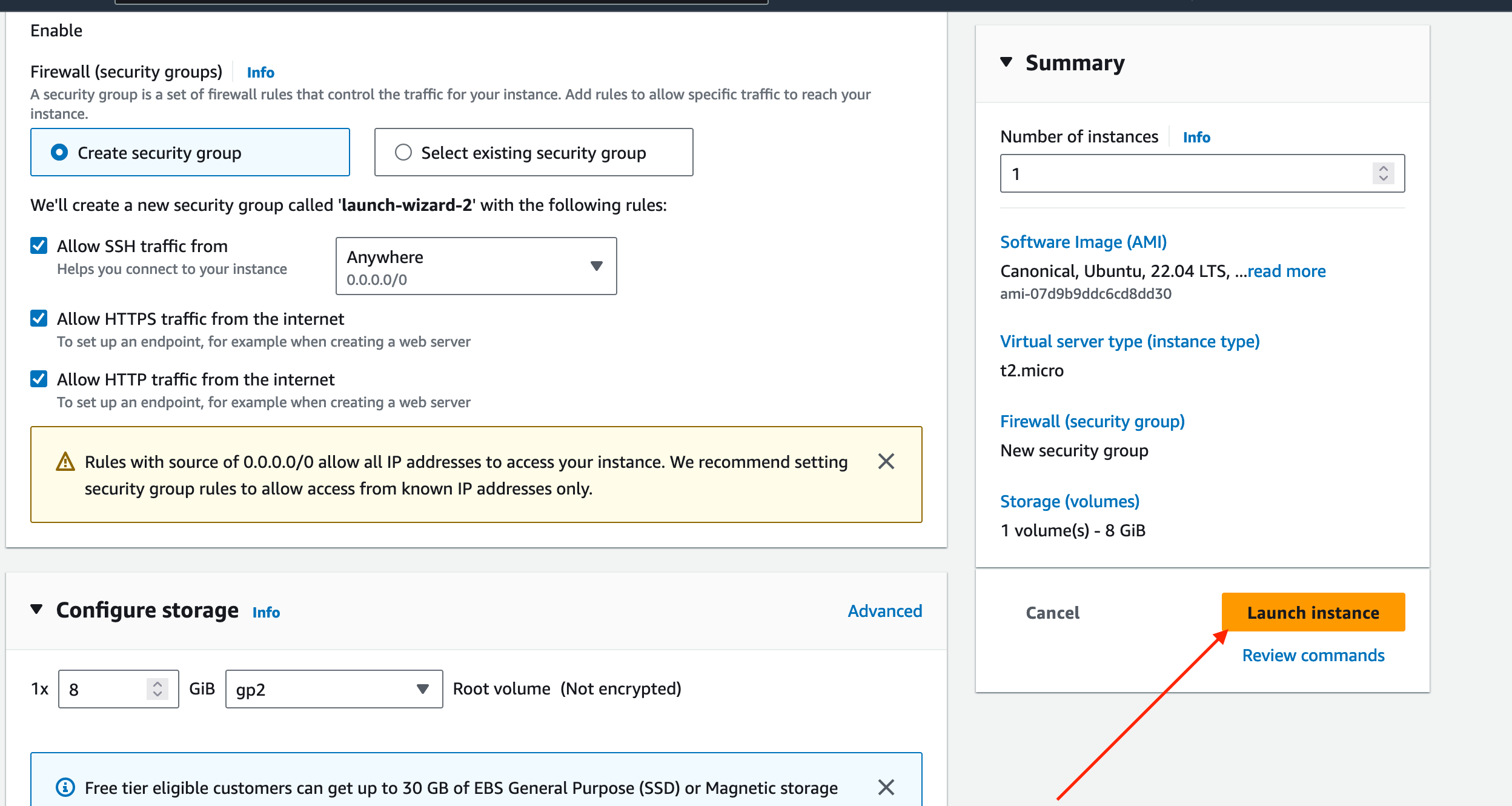
- Launch the instance
Connection using SSH into instance
First open your terminal and then navigate to the folder where your test101.pem has been downloaded.
cd Downloads- Give SSH Key Permissions.
chmod 700 test101.pem- SSH into machine
Copy the IP address of the instance.

ssh -i test101.pem ubuntu@54.89.21.166- It’s Done!
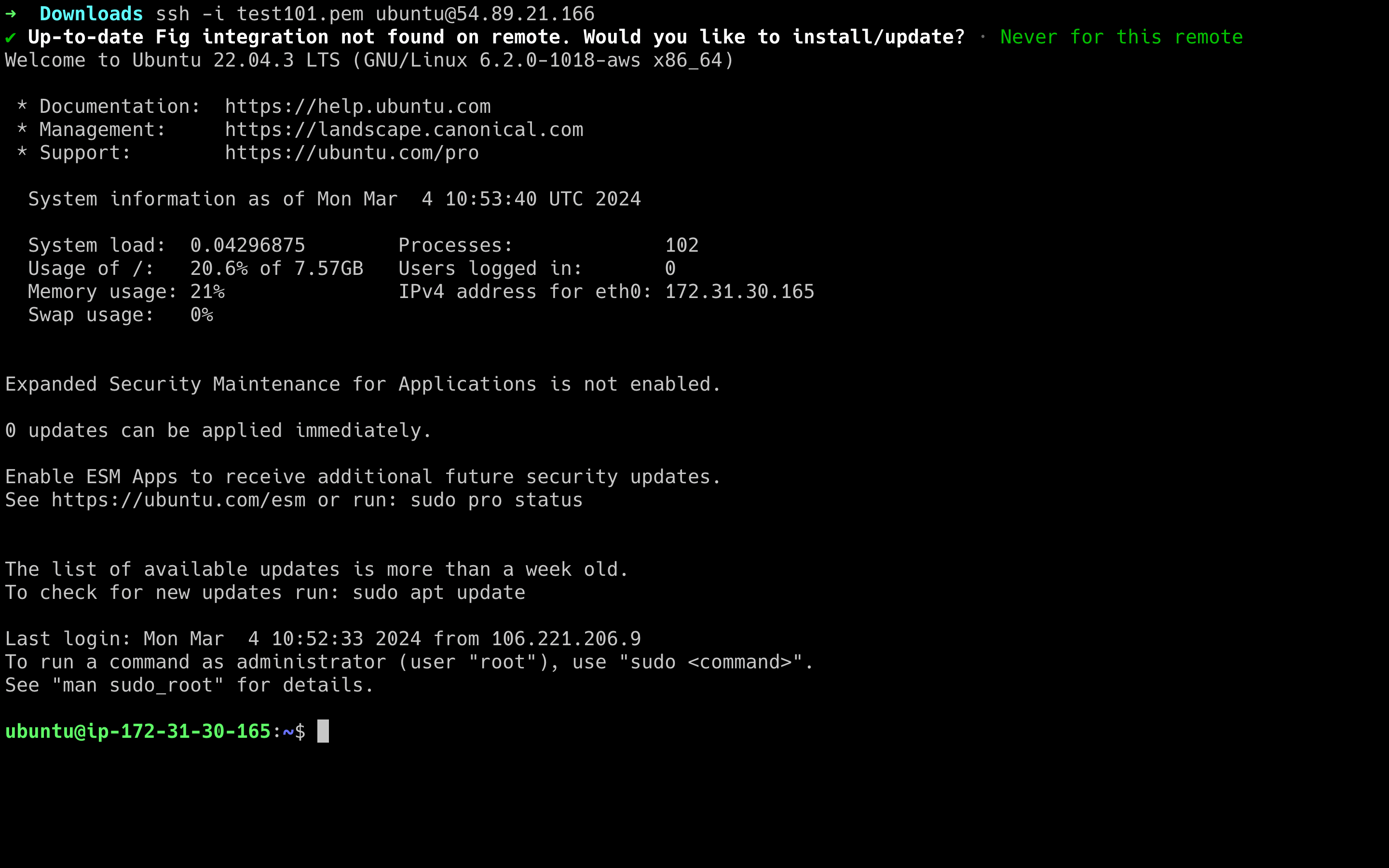
As you can see our Linux server is running.

Congratulations! You’ve successfully created your first EC2 instance on AWS. You can now start using it for various purposes such as hosting websites, running applications, or conducting experiments in a sandbox environment.
Conclusion
Creating an EC2 instance on AWS is a straightforward process, especially with this step-by-step guide for beginners. By following these steps, you can quickly set up your own virtual server in the cloud and start exploring the vast possibilities of cloud computing with AWS. So, what are you waiting for? Dive in and start building your cloud infrastructure today!